
Screenshots


App details
- Updated
- Feb 7, 2025
- Language
- Chinese 8 moreLanguagesChineseDutchEngli...
- Developer
- iMyfone Technology Co., Ltd
- Category
- Mobile
SoftPas in:
This product is also available in the following languages:
About iMyfone Umate Pro
Download iMyfone Umate Pro – iOS file transfer, iPhone cleanup, data management, memory cleaning, multimedia transfer, file organizer, iPhone storage, iOS utility
Overview
Key Features & Functionality
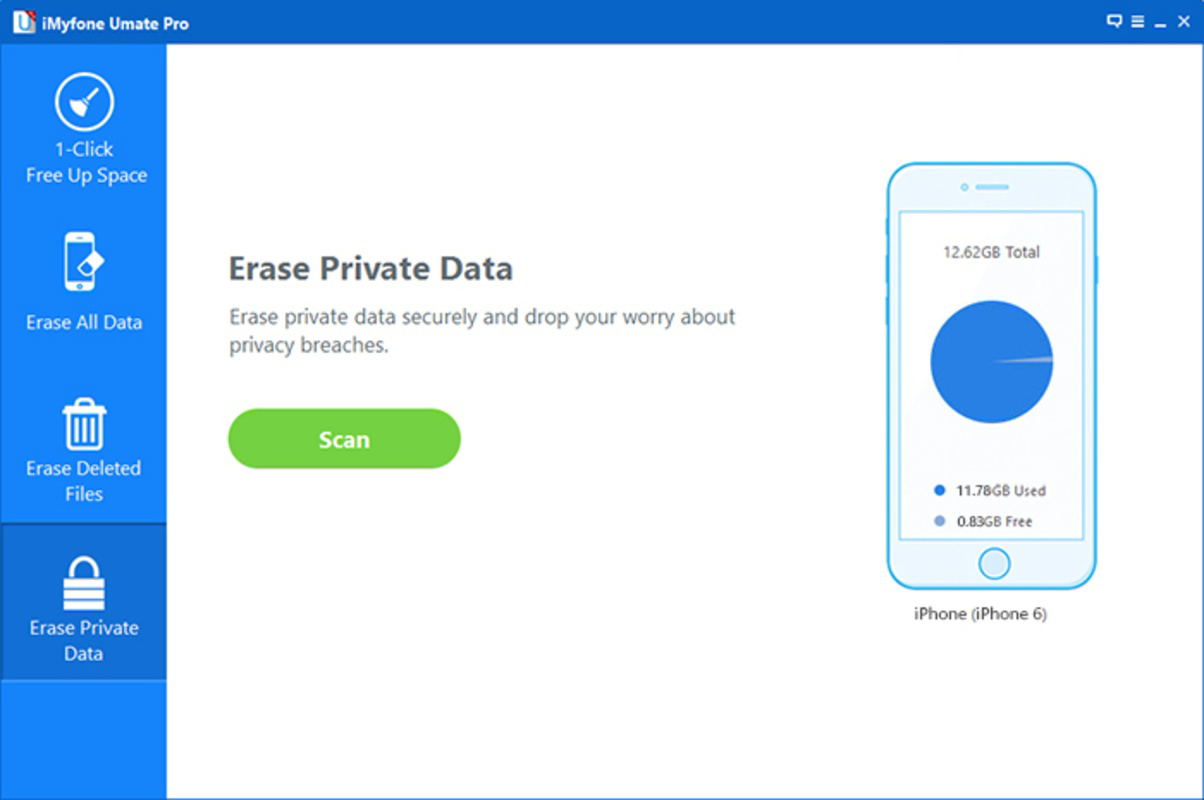
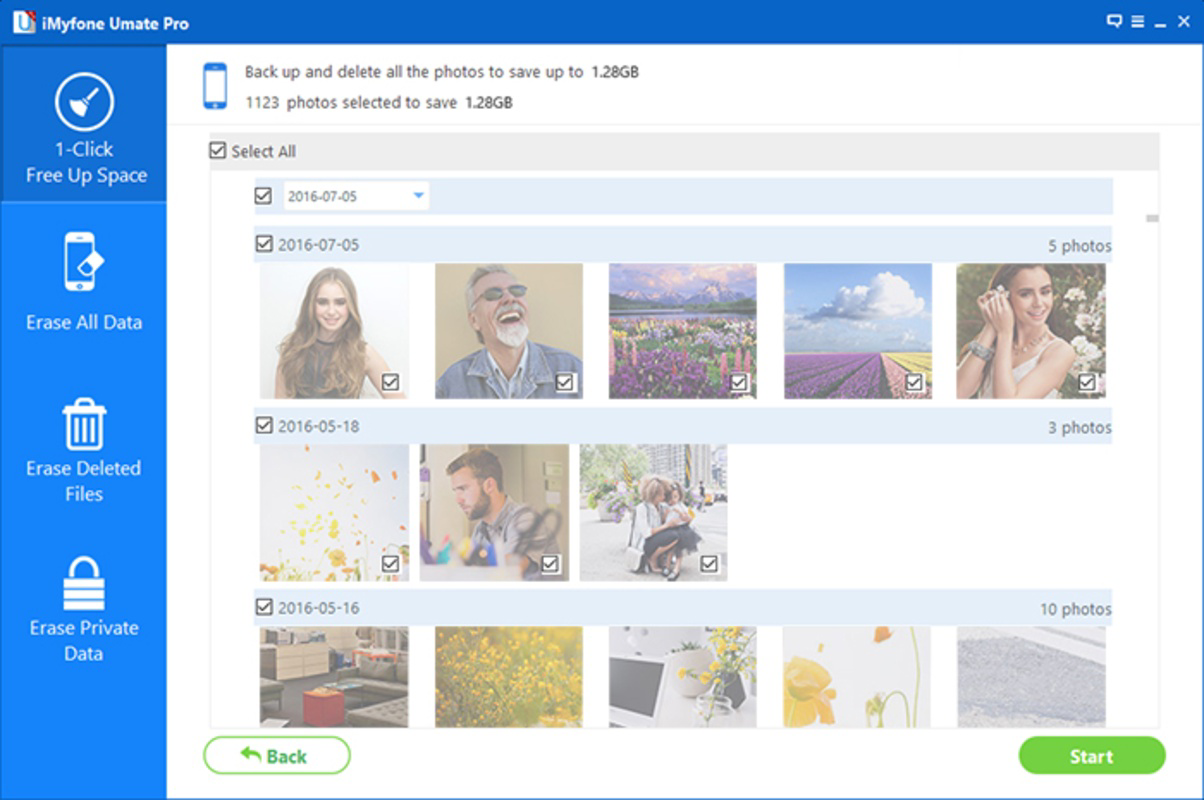
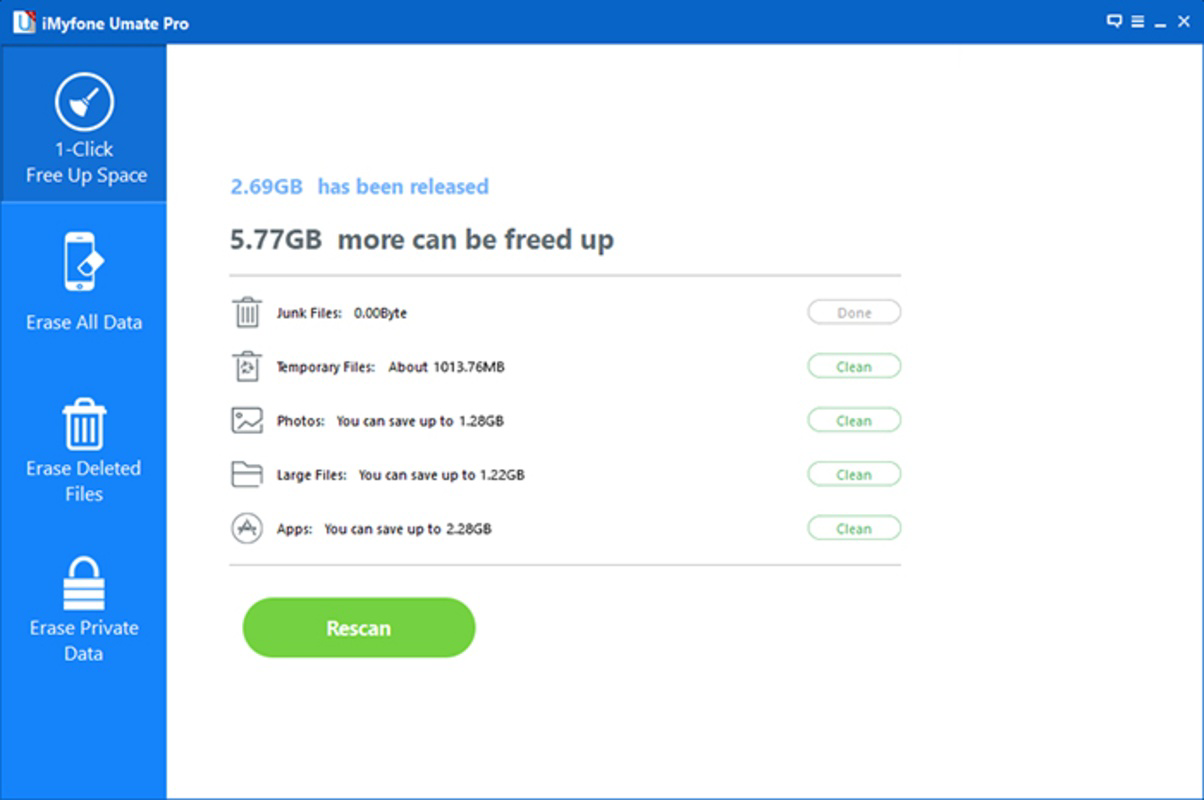
iMyfone Umate Pro delivers a suite of targeted tools designed to streamline iOS device management. The app’s core functionality centers on two primary actions: file transfer and storage optimization. The Efficient File Cleanup feature scans the device for temporary files, cache data, and redundant system files that accumulate over time. Users can review and selectively remove these items without affecting essential data, ensuring safe and controlled space recovery. The Complete Memory Erasure function provides a deep clean by wiping all data from the device. This irreversible action is intended for users who wish to reset their iPhone or iPad to factory conditions. The feature is especially useful when preparing a device for resale or donation, ensuring no personal information remains. However, the app requires explicit user confirmation to prevent accidental data loss. The Selective Data Management tool allows users to manually choose which data—such as messages, contacts, images, or call history—to retain or delete. This granular control enhances user autonomy and reduces the risk of losing important information. The Space Optimization function leverages these cleanup actions to improve device responsiveness and speed, delivering a smoother user experience. The User-Friendly Interface is designed with accessibility in mind, offering clear navigation and intuitive workflows. First-time users can quickly understand the app’s structure and begin managing their device with minimal learning curve. These features collectively support real-world scenarios such as device maintenance, data migration, and performance recovery.- Efficient File Cleanup – Removes temporary and redundant files to free up storage.
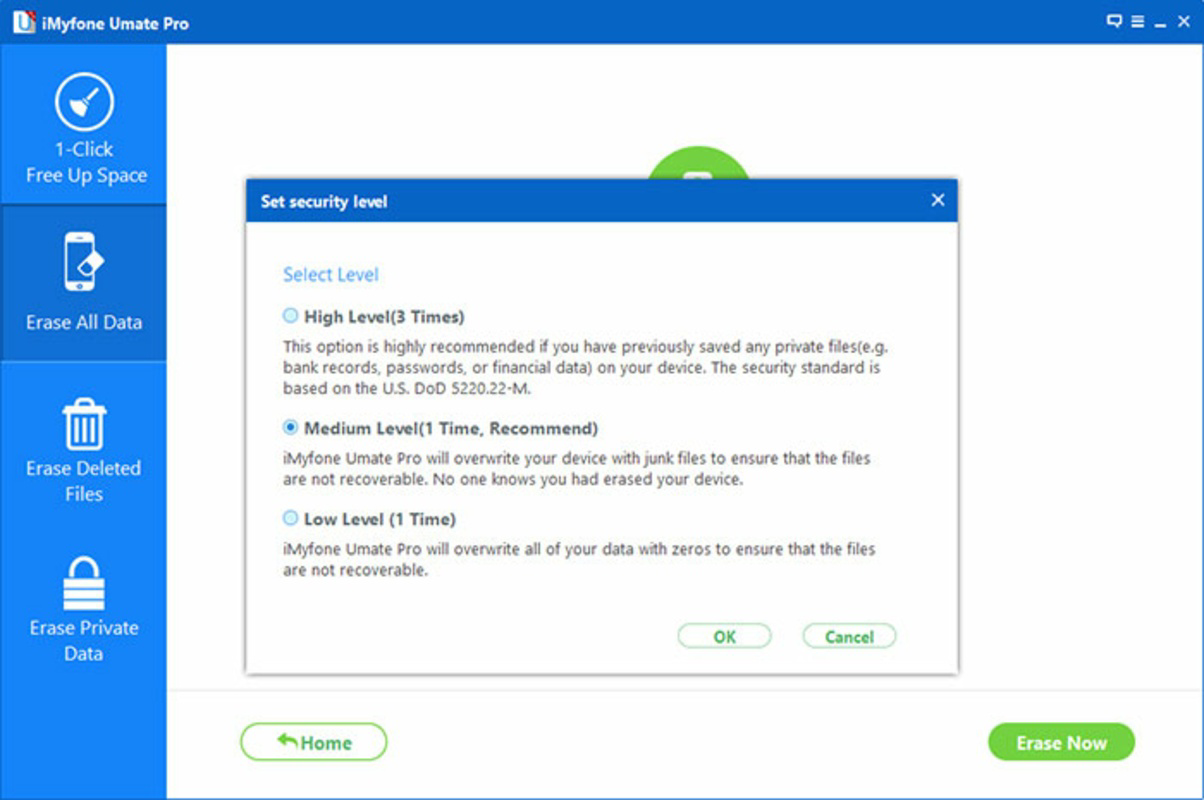
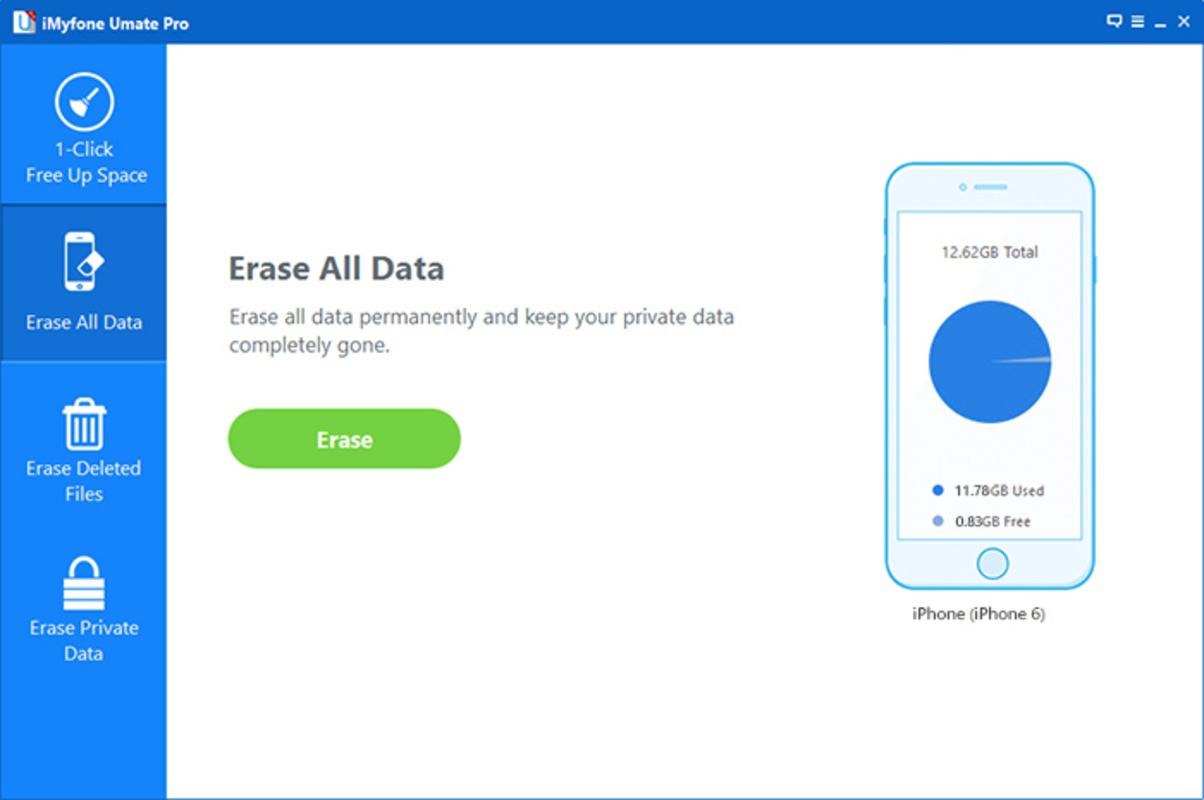
- Complete Memory Erasure – Wipes all data for a factory reset, ideal for device resale.
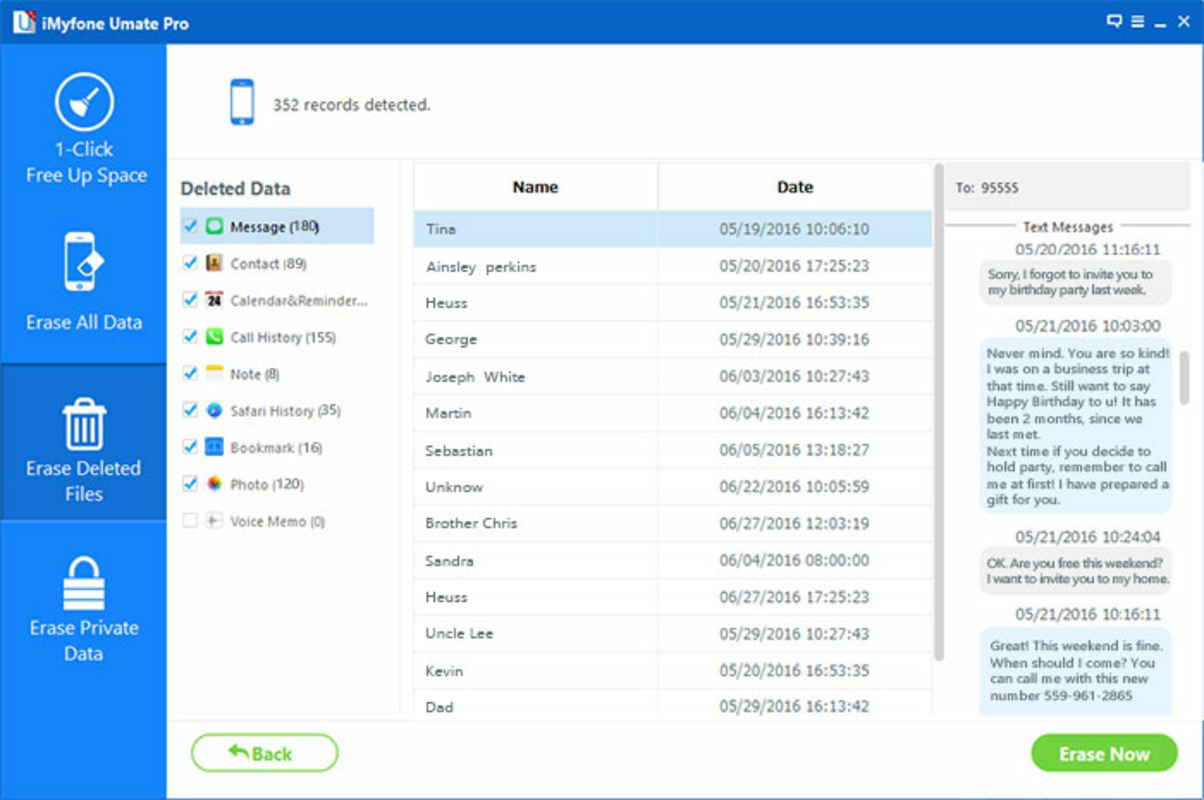
- Selective Data Management – Allows manual control over what to keep or delete.
- User-Friendly Interface – Intuitive design suitable for all user levels.
- Space Optimization – Enhances device speed and responsiveness after cleanup.
Interface, UX & Performance
The interface of iMyfone Umate Pro is clean, well-organized, and designed with usability as a top priority. Navigation is straightforward, with clearly labeled sections that guide users through each step of the file transfer and cleanup process. The visual layout emphasizes simplicity, using consistent icons, readable fonts, and logical grouping of functions. This contributes to a low cognitive load, making the app accessible even for users unfamiliar with technical tools. The app’s user experience is enhanced by a step-by-step workflow that walks users through data selection, review, and execution. Transfers are displayed in real time, and users can monitor progress with visual indicators. The design avoids clutter and unnecessary elements, focusing on core tasks. While the developer did not list formal performance metrics, the app appears to operate smoothly on standard iOS devices, with minimal lag during file scanning and transfer. Responsiveness is consistent across different device categories, including iPhones and iPads. The app adapts to various screen sizes, maintaining readability and touch target usability. Stability is maintained during extended operations, such as large file transfers or full device cleanups. Although the developer did not specify minimum OS requirements or compatibility details, the app’s design suggests compatibility with recent iOS versions. The absence of intrusive ads or pop-ups further enhances the user experience. Overall, the interface reflects a mature design approach, balancing functionality with clarity. Users can complete complex tasks—such as selective data deletion or full erasure—with confidence and precision.Platform Compatibility & Technical Requirements
iMyfone Umate Pro is available exclusively on the iOS platform, designed for iPhone and iPad devices. The app requires a compatible iOS operating system, though specific version requirements were not listed by the developer. It is optimized for modern Apple devices, ensuring seamless integration with the iOS ecosystem. The current software version is 2.0.0, released on February 7, 2025. The app’s file size is 156.8 MB, which is moderate for a utility with advanced functionality. This size suggests the inclusion of tools for scanning, transferring, and managing large volumes of multimedia data. Users should ensure sufficient free space on their device to install and run the app effectively. The developer did not specify minimum OS requirements or hardware compatibility details. Therefore, users are advised to verify compatibility with their specific device model and iOS version before installation. The app’s functionality appears to be centered on file system access and data transfer, which may depend on iOS permissions and security policies.Pros and Cons
- Offers efficient file cleanup to free up iPhone storage space.
- Supports selective data management for precise control over what to keep or delete.
- Enables secure transfer of multimedia files to a desktop computer.
- Provides a complete memory erasure option for factory resets.
- Features an intuitive interface suitable for non-technical users.
- Optimizes device performance by reducing clutter and improving speed.
- Price point of $29.99 may be considered high for a single-use utility.
- Specific OS and hardware requirements were not disclosed.
- Complete erasure function carries risk of irreversible data loss.
- Requires a desktop computer for full file transfer functionality.
- May not support all file types or third-party app data.
- No public information on update frequency or long-term support.
FAQ
Is iMyfone Umate Pro safe to use on my iPhone?
The app is designed to operate within iOS security guidelines. It does not require jailbreaking and relies on standard Apple permissions for file access. Users should ensure they download the app from official sources to maintain security.Can I transfer files from my iPhone to a computer using this app?
Yes, iMyfone Umate Pro allows users to transfer multimedia files—such as photos, videos, and audio—to a desktop computer. This feature is intended to help users back up or organize their content.Does the app support iPad devices?
Yes, the app is compatible with iPad devices, offering the same file transfer and cleanup features as on iPhones.What happens if I accidentally erase all data?
The Complete Memory Erasure function is irreversible. Users must confirm the action twice to prevent accidental loss. It is recommended to back up data before using this feature.How often should I use iMyfone Umate Pro?
The frequency depends on individual usage. Users experiencing storage issues or performance slowdowns may benefit from periodic use. For routine maintenance, every few months is generally sufficient.Final Thoughts
iMyfone Umate Pro stands out as a powerful, user-focused tool for iOS users seeking to reclaim storage space and organize their data efficiently. Its combination of file transfer, selective cleanup, and deep erasure functions addresses common pain points associated with device clutter and performance degradation. The intuitive interface ensures that even non-technical users can navigate the app with confidence. The app is ideal for individuals preparing to sell or reset their device, managing large media libraries, or simply maintaining optimal performance. While the $29.99 price tag may deter some users, the value lies in its comprehensive functionality and ease of use. For those committed to long-term device health, iMyfone Umate Pro delivers tangible benefits. Download iMyfone Umate Pro nowGuides & Tutorials
How to install iMyfone Umate Pro
- Click the Download button above.
- Once redirected, accept the terms and click Install.
- Wait for the iMyfone Umate Pro download to finish on your device.
How to use iMyfone Umate Pro
This software is primarily used for its core features described above. Open the app after installation to explore its capabilities.
User Reviews
No reviews yet. Be the first to share your experience.
You may also like
more
Que no te pillen¡
About !Que no te pillen¡Reviewed by Jason A. BilbreyShow MoreShow Less

3D Combat Zone
About 3D Combat ZoneOriginally released in 1983, 3D Combat Zone immerses players...

666: El día del portal
About 666: El día del portalOn June 6, 2006, Agent P. Stone uncovers a sinister...

80 in 1 Best Flash games
About 80 in 1 Best Flash games 80 in 1 Best Flash games is a collection of 80 fl...

ABYSS SEEKERーーWhat Do You See Deep in The Abyss
About ABYSS SEEKERーーWhat Do You See Deep in The AbyssIn ABYSS SEEKER, players...

ACA NEOGEO THE KING OF FIGHTERS 2002 for Windows
About ACA NEOGEO THE KING OF FIGHTERS 2002 for WindowsTHE KING OF FIGHTERS 2002,...